AI TOOL / #09143
Humanize Text
AI-powered tools that transform artificial intelligence-generated text into natural, undetectable human-written content.
Introduction
AI humanizer to convert AI text into natural, undetectable content.
What is HumanizeText.ai?
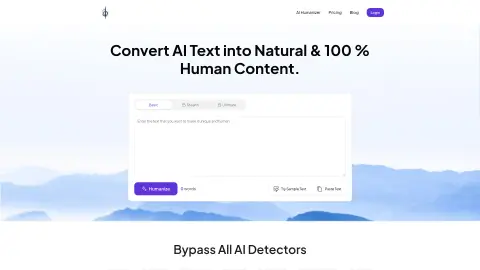
HumanizeText.ai is an artificial intelligence tool designed to transform text generated by AI into natural, human-like content. It helps users bypass AI detection systems such as Turnitin, GPTZero, and Originality AI, ensuring that the resulting output is both original and error-free. The platform offers several modes – Standard Mode, Invisible Mode, and Ultimate Mode – to optimize the search engine visibility of the content while maintaining its readability and quality.
How to use HumanizeText.ai?
When using HumanizeText.ai, simply copy and paste the content generated by your AI into the text box, and then click the “Humanize” button. This tool will process the text and provide a more human-readable version of it. It is recommended to review and modify the output before using it.
The core functionality of HumanizeText.ai
Humanizing AI-generated text
Bypass AI detection
Create original content without any plagiarism.
Generate error-free content.
Multiple user-friendly modes (Standard, Invisible, Ultimate)
AI Detector Function
Related
MuseMate
Creating short music videos for independent musicians to use for promotional purposes
AgentMsgr
Bring AI agents from different platforms together into a group chat.
AlterContacts
Help consultants keep track of each customer’s AI relationship assistant.
AdBuddy
Tencent Marketing’s Conversational Placement Assistant
Side School
Side School offers practical AI training and courses for professionals, aimed at enhancing their productivity.
Ai online course
An AI education platform provides tutorials, tests, projects and software to help master AI skills.