AI TOOL / #07266
Aftershoot
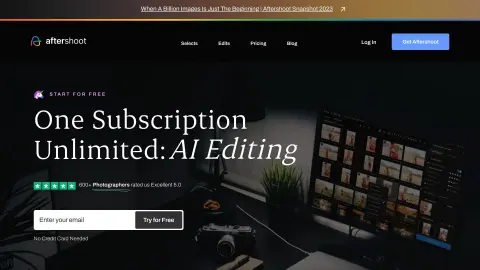
AI-powered photo sorting and editing software designed to help professional photographers streamline their post-production tasks.
Introduction
AI photo culling and editing software for professional photographers to streamline post-processing.
What is an “Aftershoot”?
Aftershoot is an AI-driven photo filtering and editing software designed specifically for professional photographers. It simplifies the post-production workflow by automating tasks such as image selection and application of consistent editing effects. Aftershoot aims to save photographers time, allowing them to focus on photography, career development, and maintaining a better work-life balance.
How to use Aftershoot?
To use Aftershoot, please download and install the application on your Windows or MacOS computer. The artificial intelligence will analyze and evaluate your images based on your unique style, highlighting the best photos and marking those that are less satisfactory. You can further train the AI by applying various filters and editing options to make it better reflect your preferences. After conducting these adjustments, you can either use pre-defined AI styles or customize them through your own edits to create a personalized editing profile.
The core functions of Aftershoot
AI-powered photo filtering
AI-assisted editing
The upcoming AI image editing tool
Personalized AI editing configuration files
repeated detection
Integration with various platforms such as Lightroom and Capture One
Related
Upscayl
Upscayl Desktop is a free, open-source desktop lossless image upscaling tool that can make blurry images clear! It works especially well for restoring anime, icons, and landscape photos. The software is available for Windows, macOS, and Linux, and its size
SDXL Turbo
SDXL Turbo is a large Vincent graph model released by Stability AI. SDXL Turbo uses groundbreaking Adversarial Diffusion Distillation (ADD) technology to set a new standard in text-to-image generation. SDXL Turbo class
AI-assisted image editing tool
Qiantu Design Studio | AI Assistant is an incredibly versatile AI design tool. It integrates over 135 creative applications for image processing using AI technology, including AI image editing, photo enhancement, AI-generated art, AI-powered conversations, and AI-assisted writing, among others! When it comes to image editing tools that we commonly use, AI Batch Image Editing is one of the most popular options.
Zhide AI Resume
“Zhidu AI Resume” is a powerful online AI tool for creating resumes. It combines three key functions: AI-based resume generation, AI-assisted resume polishing, and AI simulated interviews. By simply entering the name of the desired position, users can generate a resume that perfectly matches the requirements. The platform also offers a vast collection of free resume templates, and the AI automatically optimizes the layout of the resume.
Linggou AI Notes
Linggou AI Notes is a team collaboration platform that integrates note-taking, AI creation, and knowledge management. It is a powerful productivity tool. With a simple prompt, AI can help you generate creative content, such as work reports, Xiaohongshu copy, event proposals, thesis outlines, and more!!! In addition to being able to...
Wondershare PDF
Wondershare PDFelement is an all-in-one PDF editor that lets you edit any PDF file directly just like a Word document. It works across all platforms—phones, computers, and tablets are all supported! Free download from the official PDF website: Click here. In addition to editing PDF documents, you can imagine...