AI TOOL / #06796
AutoPod
An Adobe Premiere Pro plugin for automatic video podcast editing.
Introduction
Adobe Premiere Pro plugin for automatic video podcast editing.
What is AutoPod?
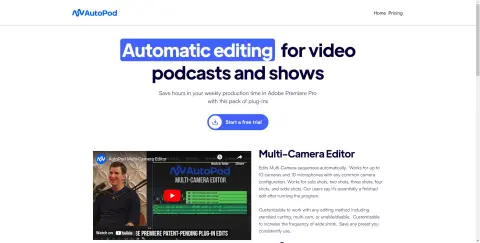
AutoPod is a set of plugins for Adobe Premiere Pro, designed specifically for video podcast and video program editors. It automates tasks such as multi-camera editing, creation of social media-ready content, and seamless editing based on audio silence markers. By streamlining processes that often prove time-consuming for editors, AutoPod helps to save valuable production time every week.
How to use AutoPod?
Install the AutoPod plugin in Adobe Premiere Pro. Open a project file in Premiere Pro, navigate to Window > Extensions, and then click on the desired AutoPod application. Use these tools to automatically edit multi-camera videos, create social media-ready clips, or add transitions based on audio silence.
The core functions of AutoPod
Automatic multi-camera editing
Social media content creation
Jump-cut editing
Related
Gift Wizard
An AI-based personalized gift recommendation tool.
EasyGift
An AI-powered tool that provides personalized gift recommendations.
Hair Transplant AI Success
AI applications have been successfully used to analyze the outcomes of hair transplantation procedures by analyzing the number of transplanted hairs and the corresponding evaluation results.
NeckCheckUp: Prevent Neck Pain
Neck detection tools help prevent neck pain by facilitating stretching and utilizing artificial intelligence-based techniques to monitor flexibility.
Thera
An artificial intelligence-powered health coach provides personalized guidance and daily motivation over the phone.
Track Your Nutrition: NUTROIC
An artificial intelligence-based nutrition and diet assistant that provides personalized health management services.