AI TOOL / #06677
Voice Control for Netflix
Use voice control to operate Netflix: play, pause, fast-forward, and more.
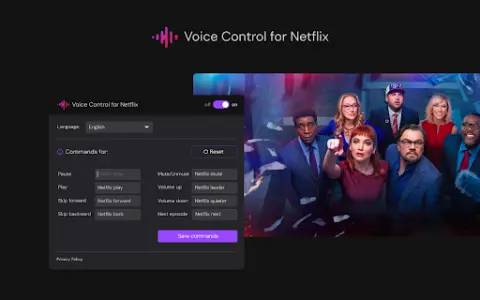
Introduction
Control Netflix with your voice: play, pause, fast-forward, and more.
What is the Voice Control for Netflix AI Chrome extension/plugin?
Netflix’s voice control allows users to manage their Netflix experience via voice commands. This includes tasks such as playing, pausing, and advancing videos, all without the need to use a remote control or touch the screen.
How to use the Voice Control feature for the Netflix AI Chrome extension/plug-in?
Simply enable Netflix’s voice control, and then use voice commands to control playback, navigate the menu, and search for content.
The core functionality of the Netflix AI Chrome extension/plugin for voice control
Use voice control to operate Netflix playback functions (play, pause, fast forward, rewind).
Hands-free navigation, Netflix menu
Voice search for films and TV shows
Related
ClassroomIO
An open-source, AI-enabled learning management system for creating, managing, and delivering courses.
Zoc.ai – Better Grades | Ethical AI
An AI-powered note-taking tool designed for students and educators.
Lanter: YouTube Highlighter
A Chrome extension designed to highlight and bookmark key moments in YouTube videos.
Speedy Audios
SpeedyAudios allows users to transcribe WhatsApp audio messages into text, making it convenient for quick browsing and searching.
MarianaAI
MarianaAI is an AI platform for the healthcare industry that automates clinical documentation and optimizes revenue.
Alphy
An AI tool that transcribes, summarizes audio and video content, and generates new materials based on it.