AI TOOL / #06631
Voice-to-ChatGPT
Voice-controlled ChatGPT interactions via browser plug-in.
Introduction
Voice-controlled ChatGPT interaction via a browser extension.
What is the Voice-to-ChatGPT ai chrome extension/plugin?
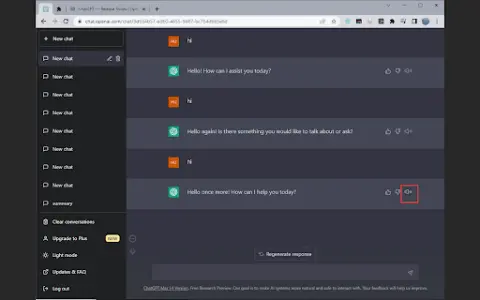
Voice Control ChatGPT is a browser plug-in that allows users to interact with the ChatGPT language model through voice. It leverages Google Chrome's speech recognition and text-to-speech technology to enable users to use voice input and audible replies from ChatGPT. Users can hold down the button to speak their question, release the button to send, and optionally cancel or edit before sending.
How to use Voice-to-ChatGPT ai chrome extension/plugin?
Open the ChatGPT homepage, press and hold the Talk button to speak, and release the button to send your question. You can cancel or edit your entry before sending.
Voice-to-ChatGPT ai chrome extension/plugin core functionality
Voice input to ChatGPT
Text-to-speech output for ChatGPT
Major languages supported
Press and talk function
Related
NextBrain AI
A code-free machine learning platform that provides actionable insights as well as fast and accurate results.
Growify
Automated attribution software used for multi-channel marketing analysis and optimization.
IndexBox
An artificial intelligence-based market intelligence platform that provides comprehensive market data and analysis.
UserAnalytics.AI – AI Analytics Tool
AI-powered data analytics tools for e-commerce and SaaS applications, transforming customer data into actionable insights.
DGi
DGi is an artificial intelligence-powered data platform that enables the creation of workflows, code, and BI dashboards.
Fusion Analyzer: Smart Buying Made Simple
Software for Amazon sellers to improve product sourcing and increase profits.