AI TOOL / #06553
Voice Out
A Chrome extension that converts text into speech, capable of reading digital content in multiple languages.
Introduction
Text-to-speech Chrome extension for reading aloud digital content in multiple languages.
What is Voice Out?
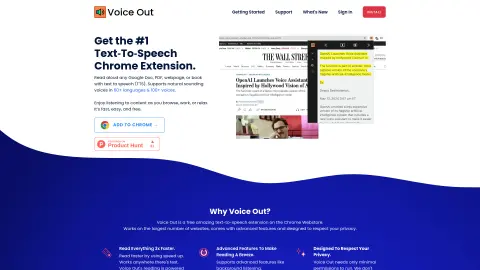
Voice Out is a Chrome extension that converts text into audio. It can read Google Documents, PDF files, web pages, or books in over 60 languages and using more than 100 different voices. Its purpose is to provide a fast, easy-to-use, and free service that allows users to listen to content while browsing the internet, working, or relaxing.
How to use Voice Out?
1. Open a web page, Google Doc, PDF, or e-book.
2. Click the “Voice Out” button to start converting text into speech.
3. Enjoy listening to the content being read aloud.
The core functionality of Voice Out
Text-to-speech function
Supports over 60 languages and more than 100 voice options.
Compatible with a variety of document formats and websites.
Advanced features such as background listening and highlight display.
Related
The Influencer AI
Create your own *consistent* AI influencer in minutes. Then use them for photos, videos, product images and try-ons.
BHuman
An AI-based platform designed for creating personalized videos on a large scale.
mypipio.com
An artificial intelligence-based video production platform that offers customizable avatars and multilingual support.
Imgkits – Top AI Image & Video Processing Tools Online
An integrated AI-based image and video editor: Use Imgkits to create stunning photos and videos.
Free AI kissing video generator
AI platforms can generate romantic kissing videos from photos.
Uthana
Generative AI platform for fast 3D character animation, based on text or video prompts.