AI TOOL / #06529
AudioTTS – Simple Text to Speech Downloader
A Chrome extension designed to download text-to-speech audio files from various platforms.
Introduction
Chrome extension to download text-to-speech audio from various platforms.
What is the AudioTTS AI Chrome extension/plug-in?
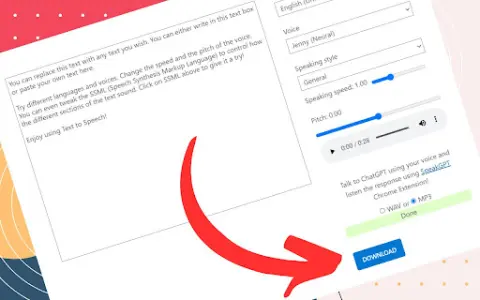
AudioTTS is a Chrome extension designed to download text-to-speech audio files from various platforms, such as Microsoft Azure, Google TTS, IBM Watson, and ChatGPT. It simplifies the process of converting text into downloadable audio files in MP3 or WAV format.
How to use the AudioTTS AI Chrome extension/plug-in?
Install the AudioTTS Chrome extension, visit the supported websites (ChatGPT, Microsoft Azure, Google TTS, IBM Watson), and then click the “Download” or “Read Aloud” button. The audio files will be available for download in MP3 or WAV format.
The core functionality of the AudioTTS AI Chrome extension/plug-in
Download text-to-speech audio files from supported websites.
Supports MP3 and WAV audio formats.
Supports voice downloads via ChatGPT.
Compatible with browsers that support Chrome extensions.
Related
Text Selected
An extension for selecting text and retrieving relevant answers from a remote JSON file.
Shift-Ctrl-F: Semantic Search for the Browser
A Chrome extension that uses MobileBERT to search for and highlight answers on web pages.
KKBot
An AI-based question-and-answer application, used for accessing private knowledge and searching for information on the Internet.
ChatGPT Explain
A Chrome extension that simplifies complex concepts in selected text.
Ask AI questions
AI tools designed to generate question answers quickly and accurately.
OverallGPT
OverallGPT compares the responses of AI models side by side, in order to provide transparent insights and facilitate better decision-making.