AI TOOL / #06433
Tali AI
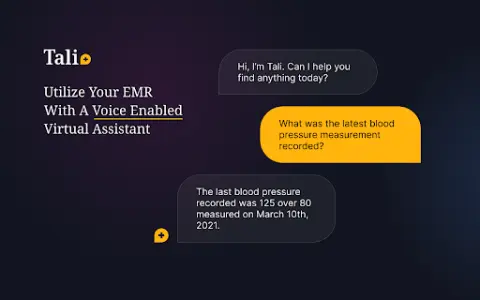
A Chrome extension tool for dictating medical notes and accessing medical databases within EHR systems.
Introduction
Chrome extension for dictating medical notes and accessing medical databases within EHR systems.
What is the Tali AI AI Chrome extension/plugin?
Tali AI is a Chrome extension designed to simplify medical note-taking and information retrieval, built specifically for healthcare professionals. Users can dictate notes directly into electronic health record (EHR) software via voice input and access evidence-based medical database information while using the EHR interface.
How do I use the Tali AI AI Chrome extension/plugin?
1. Install the Tali Chrome extension.
2. Sign in with your Google account.
3. Select a text area in the EHR.
4. Click the microphone icon to start dictating.
5. Speak clearly to enter notes directly into the EHR.
Core features of the Tali AI Chrome extension/plugin
Dictate medical notes directly into the EHR system.
Access evidence-based medical databases within the EHR
Speech-to-text transcription
Google Account integration
Related
TranslatesDocument
An online document translator powered by artificial intelligence, supporting over 130 languages and various file formats.
TheToolBus AI
A one-stop platform offering free online tools, AI directories, and various resources.
Mathpix
AI-powered conversion of multi-format documents.
Zoho Expense
Zoho Expense automates the process of expense management by allowing users to scan receipts and submit expense claims accordingly.
SeeHear – Text Capture
An iPhone app that instantly converts text displayed on the camera into speech.
ChatScreen: Sider 2.0 for iOS
Artificial intelligence chatbots and assistants designed to interact with screen content and files.