AI TOOL / #06361
Opusense
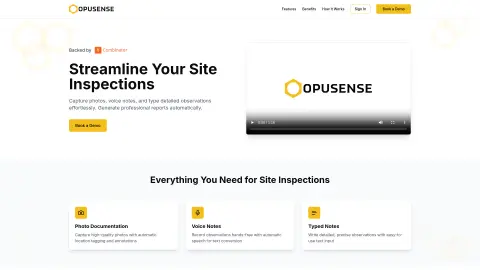
An AI-powered on-site inspection and reporting tool that streamlines workflows.
Introduction
AI-powered tool for site inspection and reporting, streamlining workflow.
What is Opusense?
Opusense is an AI-powered tool designed to convert field notes and photos—whether typed or recorded via voice—into fully formatted field inspection reports. Designed for engineers, inspectors, and consultants, it eliminates the most tedious and time-consuming parts of the workflow associated with field inspections and reporting for construction and engineering teams.
How do I use Opusense?
Opusense simplifies the reporting process in four steps:
1. **Submit Your Template**: Users submit existing report templates so that their structure, format, and style can be analyzed.
2. **AI Learning**: Unique characteristics of AI research templates, including writing styles and formatting preferences.
3. **Enter Your Data**: Users provide raw data and key points, and the AI organizes and formats them based on the template.
4. **Review and Export**: Users review the generated report, make final adjustments, and export it to their preferred format, such as .docx.
Key Features of Opusense
AI-Based Report Generation
Photo documentation, automatic geotagging, and annotations
Voice Notes, Automatically Converted to Text
Detailed Observation Log
Customizable report formats (including logos, fonts, section headings, and wording)
Direct .docx Export Compatibility
Brand-consistent reporting that maintains a unique voice and identity
Language Style Mimicry (Artificial intelligence adapts based on the user's communication style)
Related
Grok Button
A browser extension that provides quick access to Grok AI.
DB Pilot
An AI-native database GUI client and SQL editor with an AI assistant.
OrgaNice
AI-powered HR tools for Slack teams focused on organization and engagement.
Wald.ai
A private AI platform designed for enterprises, featuring top-tier data protection and compliance capabilities.
CloudKeeper Tuner
The Automated AWS Usage Optimization Platform is designed to reduce costs while ensuring optimal performance.
AI Perfect Assistant – GPT for Office365
An AI assistant for Office 365 to automate tasks and increase productivity.