AI TOOL / #06159
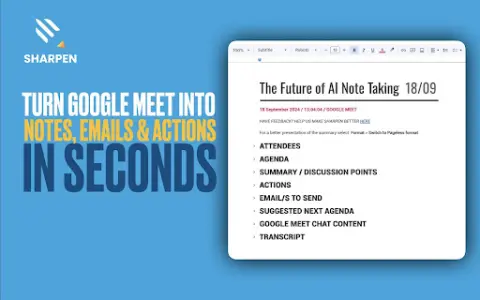
Sharpen AI: Turn Google Meets into notes, emails & actions in seconds.
An AI-driven Chrome extension designed for real-time transcription and summarization of Google Meet meetings.
Introduction
AI-powered Chrome extension for real-time Google Meet transcriptions and summaries.
What is SHARPEN: An AI extension/plug-in for Google Meet and Chrome?
Sharpen AI is a Chrome extension designed to enhance productivity by providing real-time transcription and summaries of Google Meet meetings. It integrates with Google Workspace, automatically importing action items and notes into Google Documents, Tasks, and Gmail. Its goal is to save time and improve collaboration by accurately capturing discussions and key action items.
How to use the SHARPEN: AI for Google Meet extension/plug-in for Chrome?
Install the extension from the Chrome Web Store, join a Google Meet meeting, and the extension will automatically transcribe the conversations in real time. After the meeting ends, a summary will be generated and saved as a Google Document in your Google Drive account.
SHARPEN: The core functionality of the AI Chrome extension plugin for Google Meet.
real-time transcription
Summary of AI-driven technologies
Seamless integration with Google Workspace
Automated extraction of action items and decisions
Related
Claap
AI sales assistant automates transaction records, CRM updates, follow-up emails, and provides insights.
Observe.AI Screen Recording
Browser extension for recording an agent's screen during customer interactions, for use with Observe.AI.
ScreenApp
An AI-enabled screen recording, transcription, and audio and video content summarization tool.
TMate: Instant Meeting Recording, Transcripts
TMate AI captures, transcribes, and analyzes online meetings in real time.
SJinn
AI agents designed for the creation of images, videos, audio, and 3D content.
Albus Beta
Albus AI: A cloud-based platform for document organization and semantic understanding.