AI TOOL / #06135
Ask Screenshot for ChatGPT
Improve ChatGPT productivity by analyzing screenshots and selected text.
Introduction
Enhances ChatGPT productivity by analyzing screenshots and selected text.
What is the Ask Screenshot AI Chrome extension/plugin?
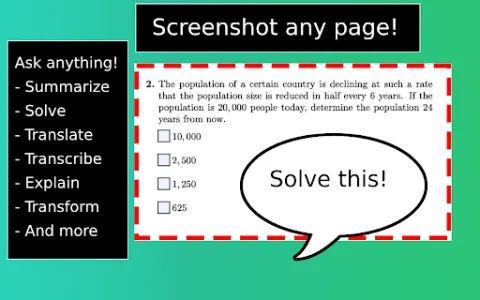
Ask Screenshot is a tool designed to improve productivity in ChatGPT, allowing users to analyze screenshots or selected text directly within ChatGPT. It offers features such as summarization, transcription, and translation, making it easier to extract information and process content from visual and textual sources.
How do I use the Ask Screenshot AI Chrome extension/plugin?
To use Ask Screenshot, right-click anywhere on any page and hover over Ask GPT to access the available screenshot templates. For selected text, right-click the selected text and hover over Ask GPT to view the available templates.
Core features of the Ask Screenshot AI Chrome extension/plugin
Screenshot and analyze: Take a screenshot and automatically open it in ChatGPT for analysis.
Text selection and analysis: Right-click any selected text to automatically open it in ChatGPT.
Related
Forma
Free AI-powered running form a...
LooksMaxx AI – AI powered apps to help you glow up and looksmaxx online
Applications based on artificial intelligence are used to analyze appearance, style, and personal aspirations, and to provide personalized recommendations.
AI Spiritual – Chat GPT (Psychology, Dream)
AI tools for psychology, dream analysis and divination.
Sommel-ai
An AI-powered wine pairing tool that helps recommend the perfect combinations of wines.
Granny cooks for me
An AI recipe generator based on the provided ingredients.
Recipe Lens
AI-powered applications used for identifying recipes and generating personalized meal plans based on photos.