AI TOOL / #05876
Do Browser
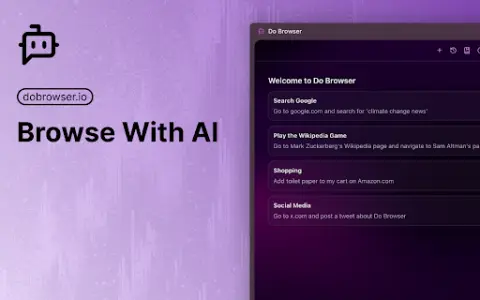
An AI-powered Chrome extension that enables control of the browser via natural language commands.
Introduction
AI-powered Chrome extension for browser control using natural language.
What is a Do Browser AI Chrome extension/plug-in?
Do Browser is an AI-powered extension for Chrome that allows users to control their browser using natural language commands. It provides quick access through the address bar or keyboard shortcuts and also supports voice commands. Its purpose is to simplify tasks such as filling out forms, shopping, and navigating complex web interfaces.
How to use the Do Browser AI Chrome extension/plug-in?
Enter “do” in the address bar or use the shortcut keys Cmd+K/Ctrl+K to activate the Do Browser. Then, use natural language commands to instruct the extension to perform tasks within the browser.
What are the core functions of browser AI Chrome extensions/plugs?
Natural Language Browser Control
Access via the address bar and keyboard shortcuts
Voice command support available
Related
Whelp
An AI-powered, omnichannel customer service automation tool suitable for small and medium-sized enterprises.
Pivotal Copilot
A Chrome extension that utilizes ChatGPT to capture and analyze CRM data in order to provide more insightful insights.
Touchbase CRM
An AI-powered automated CRM system is capable of updating itself automatically after each interaction with a customer.
Rumo Personal CRM
AI-powered personal CRM for managing and enhancing personal and professional relationships.
Add to.co – Capture prospects as you browse
A simple CRM tool with Chrome extensions, designed to facilitate the discovery and management of contacts.
Wurkzen
An AI-driven platform for business operations, sales, and infrastructure management.